Showing posts with label Google Talk. Show all posts

Wednesday, May 15, 2013

New Google+ and Google Hangouts

Google+ has received a major update. There's a new multi-column desktop interface, a new messaging platform and Google+ Photos is a lot smarter.


The desktop Google+ looks different. You can see more content thanks to the new interface that shows up to 3 columns, depending on the window size. "Photos and videos can fill the entire width of the stream, making it easier to scan, and nicer to look at. The sharebox bounces, the menus slide, and the cards flip and fade."

Google+ can now automatically generate hashtags for your posts, so other people can find related content. "Hashtags appearing at the top of a post are related to the post's content. Clicking on a hashtag will let you explore related posts. Hashtags with gray coloring are those used by the author of the post while hashtags with blue coloring are added by Google based on the content of the post. Related hashtags help posts get discovered and build conversations around the content of that post."

If you don't like this feature, you can disable it from the settings.


The unified chat service is not called Babel, the name is Google Hangouts. It replaces the Google Chat sidebar in Google+ and the Gmail Chat box and there are apps for Android, iOS and a Chrome extension. Google Hangouts combines Google+ Messenger, Google Talk/Chat and the old Hangouts feature, so you can use text chat, video chat, photo sharing and group conversations on the most popular platforms. You only see notifications once, no matter if you're using the desktop sites or the mobile apps. The built-in chat history lets you go back in time and read old conversations.


Google+ Photos is smarter. It can now find your best photos and use Auto Enhance to combine various effects that make your photos look better. "Auto Enhance makes instant adjustments to brightness, saturation and more. Auto Enhance is on by default so every photo you upload will look its best." There's also Auto Awesome, which creates new images from your photos: collages, motion images, HDR photos, panoramic images, improved group photos. Both Auto Enhance and Auto Awesome can be disabled in the settings.

Thursday, May 9, 2013

New Interface for Gmail Chat History

Google tests a new interface for the chat logs saved in Gmail. The new interface shows profile images and hides the regular buttons and menus that are displayed for almost all messages and conversations. For some reason, Google removed buttons like "move to inbox", "delete", "labels", the "more" drop-down, the "reply" button and the associated menu. Timestamps are only displayed when you mouse over a chat line.


There's a new "resume chat" button and a "delete messages history" button that triggers this warning: "Deleting the history will permanently delete all messages in this chat conversation. The messages will not go to the Trash. You will still receive messages that are sent after this action."


I don't see this new interface in my Gmail account, but maybe you have more luck. You can find Gmail's chat history here: https://mail.google.com/mail/#chats. The interface should only look different for recent conversations, so you can still see the old UI for the other chat conversations.

{ Thanks, Igor Marques. }

Thursday, April 25, 2013

Google Chat in Google Docs

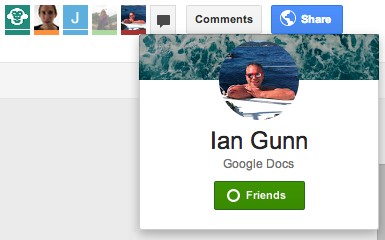
Do you remember the post about the animal icons from Google Drive? They're only displayed for anonymous users ("people who are not given explicit access"). For everyone else, Google will show the Google Profile photo and link to the Google+ page.


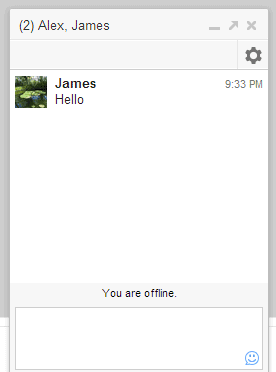
There's also a group chat feature powered by Google Talk/Chat. It's a simplified version of the chat feature from Gmail, Google+, iGoogle and orkut. There's only one chat box that lets you talk with the other signed-in users that edit or just view a document, presentation or any other file. For some reason, it doesn't work in Google Sheets/Spreadsheets.

"To begin a group chat with everyone viewing the document, click the Chat button, which you'll find in the top-right corner of your window. A chat box will appear at the bottom of your file, and everyone who's viewing the document and who's signed in with a Google account will be included in the group chat," explains Google.


The group chat feature from Google Drive doesn't support voice or video chat, conversations aren't saved in Gmail and they're not available in other services that use Google Chat. "If you've chatted in Gmail and Google+, you may have noticed that a chat started in Gmail will carry over into Google+, and vice versa. The same isn't true for chats in Google Drive. Chats you start in Google Drive won't carry over into other Google products, and chats you start in other products won't appear in Google Drive."

{ via Google Drive Blog }

Wednesday, April 17, 2013

Google Babel in Gmail

As Droid Life previously reported, Google already tests Babel, an unified messaging service that combines Google Talk, Gmail Chat, Google+ Messenger. There's a Gmail page that mentions "dogfooding Babel in Gmail" and it's supposed to be available only to Google employees.


"Upgrade Chat to Babel! Babel is Google's new messenger with clients for Android, iOS, Chrome, Google+ and Gmail. Access the same conversation list from anywhere!" That's how Google describes the new service.

"Some of the new features:

* A new, conversation-based UI
* Advanced group conversations
* Send pictures
* Improved notifications across devices."

It looks like you can go back to the Gmail Chat interface: "You're about to revert the Babel chat client to the old Gmail chat client. You can always opt in back from the chat roster menu."

Here's a screenshot (it's this image):


{ Thanks, F. }

Thursday, April 4, 2013

Desktop Notifications for Google Voice

Some readers of this blog spotted a new feature of the Google Voice extension for Chrome: desktop notifications. I didn't notice it, since Google Voice can't be used outside US.

"I've recently started getting notifications from the Chrome Google Voice extension every time I receive a SMS to my GV number. Of particular interest is the icon, which looks like an amalgamation of communications services' icons. Is it a harbinger of the new unified messaging service rumored to be on the way?" says Alec, a read of this blog.


Apparently, Google works on a new product called Babel that integrates Google Talk, Gmail Chat, Google+ Hangouts, Google+ Messenger. "You'll get a seamless messenger experience across Android, iOS, Chrome, Google+ and Gmail. From what we have seen, there is no mention of Google Voice or other services outside of the five we just mentioned, but that doesn't necessarily mean they won't be there at some point. As of now, this is being tested internally as a cross-platform service," reports Droid Life.

{ Thanks, Alec and Evan. }

Tuesday, June 28, 2011

More About Google+ Hangouts

Google's Justin Uberti has more information about Hangouts, the video conferencing app that will be available in Google+.


To support Hangouts, we built an all-new standards-based cloud video conferencing platform. This platform combines high quality, low latency, and strong security with the ease of use of a web application. Through the efficiency of this new platform, we're able to deliver a leading video conferencing experience at Google scale.

A few noteworthy technical points:
* Fully browser-based/cloud-based
* Client-server: leverages the power of Google's infrastructure
* Designed for low latency (< 100 ms) and high performance (multicore + hardware acceleration)
* Standards-based: XMPP, Jingle, RTP, ICE, STUN, SRTP
* Fully encrypted (HTTPS + SRTP)

Hangouts require the same plugin that's currently used for voice and video chat, it's limited to 10 participants and doesn't work on mobile devices yet. Another interesting thing is that "hangouts are created by one person, but everyone in the hangout shares the ability to invite others. Each hangout has a specific URL. That URL can be shared as a link to invite others." You can also use Hangout to watch a YouTube video with your friends.

Hangout looks like a great Google Talk feature and I don't see why it shouldn't be added to Gmail and to Google Apps. Video conferencing could make Google Apps a lot more useful.

Saturday, May 7, 2011

Google Talk and AIM to Become Interoperable

When you log in to your AIM account in Gmail, you get a message from AOL that links to this page.


In the next few days, Google and AOL are working together to change the way you connect to AIM buddies within Gmail. After this change, Gmail and AIM users can talk directly to each other without having to log into both services (you will no longer be able to log into AIM within Gmail's "Chat" section).

It's nice to know that AIM and Gmail Chat (Google Talk) will finally become interoperable and the Gmail integration will no longer be necessary. Back in 2005, Google and AOL announced that "Google Talk users and AIM users will be able to communicate with one another" and two years later Gmail Chat integrated with AIM, but they didn't become interoperable.

{ Thanks, Josh. }

Tuesday, March 29, 2011

Google Talk Guru

Google Talk Guru is a new Google bot that lets you ask simple questions. It's "an experimental service that allows people to get information like sports results, weather forecasts, definitions etc via chat. It works on many popular chat applications that support Google Talk."

Send an invitation to guru@googlelabs.com in Gmail Chat, Google Talk or any other Jabber client and find simple facts like "weather in London", "amplitude definition", "translate souris", "2^8", "web stanford" (which returns the top Google result for [stanford]).


The service is not as powerful as Google SMS, but it's still handy.

{ Thanks, Michael. }